How to monitor frontend applications with CloudWatch Canaries
February 12, 2026Introduction
Modern frontend applications rely on APIs, third-party services, and distributed infrastructure — so backend health alone doesn’t guarantee a smooth user experience. Traditional tests help before deployment, but they can’t catch all issues that could surface in production. CloudWatch Canaries solve this by simulating real browser interactions on a schedule or after deployments, helping teams detect broken flows, performance issues, and frontend failures before users notice them.
Why Synthetic Monitoring Matters
Imagine you’re developing and operating a business-critical application.
What’s the worst-case scenario?
A broken system in production.
Unit and integration tests are common best practices and help ensure individual components work as expected, but none of these simulate real user behavior and are often limited to CI pipelines and rarely executed continuously in production.
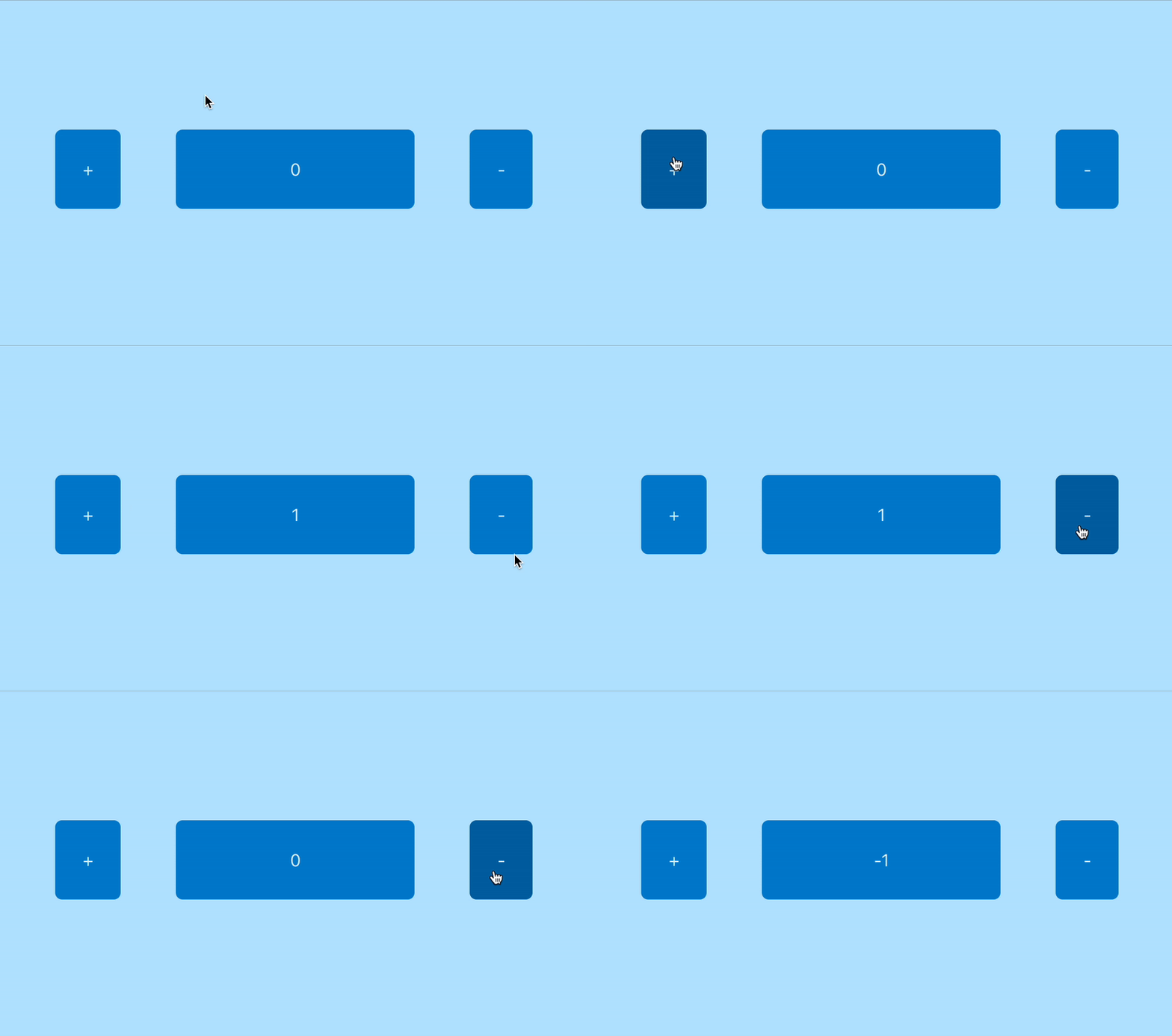
Now, let’s assume our critical application has a very simple purpose:
- Click on + → increment the counter
- Click on − → decrement the counter
If this basic functionality suddenly stops working as expected, we need to know it via an automated alert.
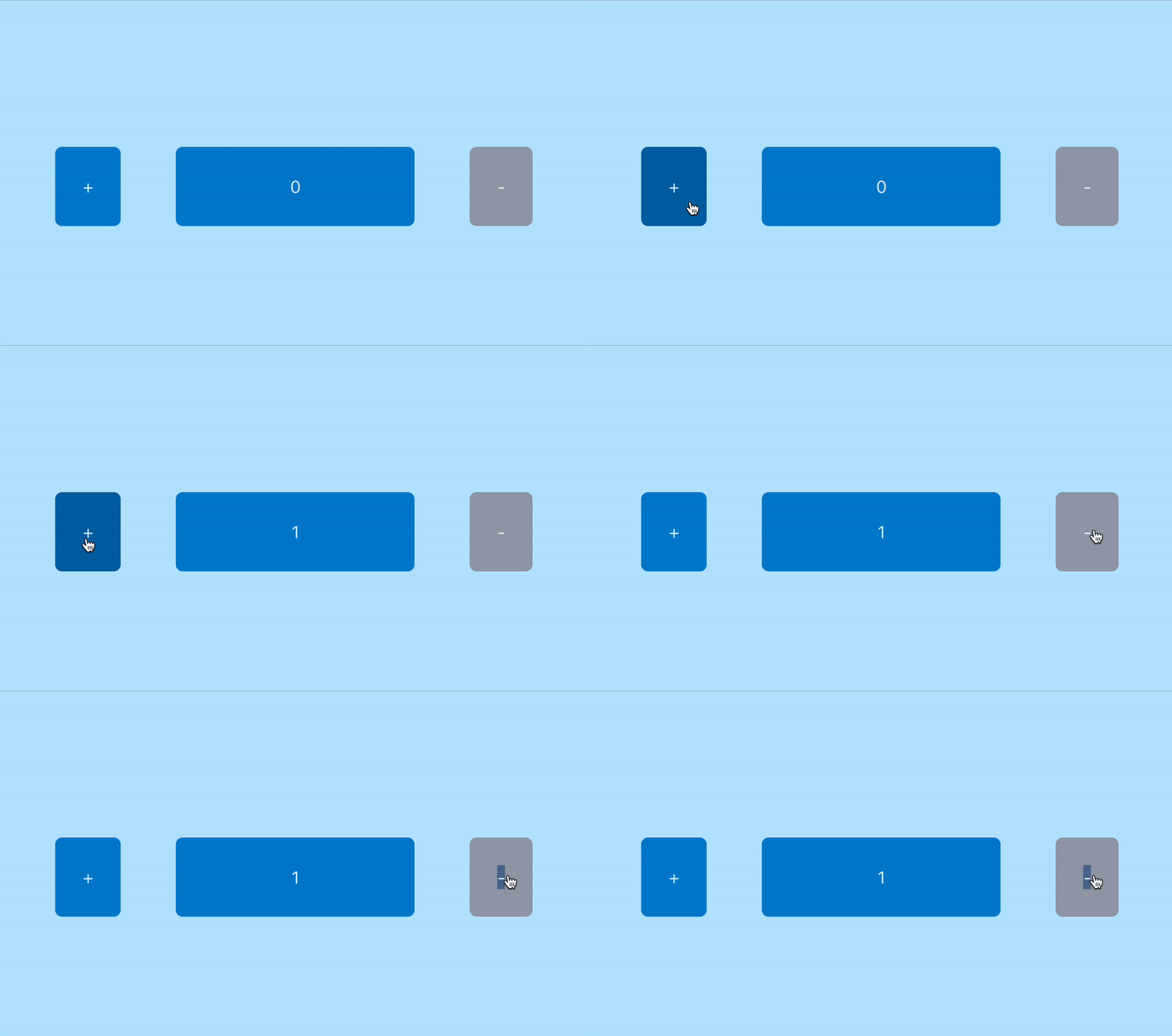 (in this case we accidentally disabled the decrement button)
The assertions
- Given the counter value is 0, when clicking on +, the counter should change to 1
- Given the counter value is 0, when clicking on -, the counter should change to 0
Our application
The application is developed with React and you can find it in /frontend, in this example repository.
The web application is deployed via FrontendStack
export class FrontendStack extends Stack {

  readonly domainName: string;

  constructor(scope: Construct, id: string, props?: StackProps) {
    super(scope, id, props);

    // create bucket
    const destinationBucket = new s3.Bucket(this, 'bucket', {
      blockPublicAccess: s3.BlockPublicAccess.BLOCK_ALL,
      autoDeleteObjects: true,
      removalPolicy: RemovalPolicy.DESTROY,
    });

    // cloudfront distribution with origin-access-identity
    // which authenticates cloudfront to access s3
    const distribution = new cloudfront.Distribution(this, 'distribution', {
      defaultRootObject: 'index.html',
      defaultBehavior: {
        origin: origins.S3BucketOrigin.withOriginAccessControl(destinationBucket)
      },
    });

    // upload react application to
    new s3deploy.BucketDeployment(this, 'deployment', {
      sources: [
        s3deploy.Source.asset(path.join(__dirname, '..', 'frontend', 'dist'))
      ],
      destinationBucket,
      distribution,
    });

    this.domainName = distribution.domainName;
  }
}
The canary including the alarm topic and the alarm can be found in MonitoringStack
export class MonitoringStack extends Stack {

  constructor(scope: Construct, id: string, props: { domainName: string }) {
    super(scope, id, props);

    // alerting topic
    const alertingTopic = new sns.Topic(this, 'alerting-topic', {
      displayName: 'Frontend Alerting',
    });

    alertingTopic.addSubscription(
      new subscriptions.EmailSubscription('your-mail')
    );

    // the synthetics check, with playwright runtime,
    // running every hour, assets stored 7 days
    const canary = new synthetics.Canary(this, 'frontend-canary', {
      canaryName: 'test-my-super-cool-app',
      runtime: synthetics.Runtime.SYNTHETICS_NODEJS_PLAYWRIGHT_5_0,
      startAfterCreation: true,
      test: synthetics.Test.custom({
        code: synthetics.Code.fromAsset(path.join(__dirname, '..', 'lib', 'canary')),
        handler: 'index.handler',
      }),
      schedule: synthetics.Schedule.rate(Duration.hours(1)),
      environmentVariables: {
        URL: `https://${props.domainName}`,
      },
      browserConfigs: [
        synthetics.BrowserType.CHROME,
      ],
      provisionedResourceCleanup: true,
      artifactsBucketLifecycleRules: [
        {
          enabled: true,
          expiration: Duration.days(7),
        }
      ]
    });

    // alarm which is triggered once a check failes
    canary
      .metricFailed()
      .createAlarm(this, 'alarm', {
        alarmName: 'Frontend Synthetics Check',
        threshold: 1,
        evaluationPeriods: 1
      })
      .addAlarmAction(new actions.SnsAction(alertingTopic));
  }
}
The synthetics check (test)
The implementation for the synthetics check can be found /lib/canaries/index.mjs and is implemented with the Playwright framework.
import {synthetics} from '@amzn/synthetics-playwright';
import assert from "assert";

const {URL} = process.env;

export const handler = async () => {
  try {
    const browser = await synthetics.launch();
    const browserContext = await browser.newContext();
    const page = await synthetics.newPage(browserContext);

    // try to open the URL
    await synthetics.executeStep('go to url', async function () {
      await page.goto(URL, {waitUntil: 'load', timeout: 5000});
    });

    await synthetics.executeStep('click on increment and check counter to be 1', async function () {
      await page.click('[data-testid="increment-btn"]');
      const counterValue = await page.textContent('[data-testid="counter"]')

      assert.equal(counterValue, "1", "Counter is not 1");
    });

    await synthetics.executeStep('click on decrement and check counter to be 0', async function () {
      await page.click('[data-testid="decrement-btn"]');
      const counterValue = await page.textContent('[data-testid="counter"]')

      assert.equal(counterValue, "0", "Counter is not 0");
    });
  } finally {
    // Ensure virtual browser is closed
    await synthetics.close();
  }
};
Short Introduction to Canaries / Synthetics
The code shown above runs inside AWS Lambda. AWS provides the prepared Lambda runtime (including layers and required libraries) based on the selected canary runtime.
In our case, we went for Playwright SYNTHETICS_NODEJS_PLAYWRIGHT_5_0
Each synthetics.executeStep is like a test, you give it a name and as the second argument your assertion function.
Whenever your assertion function throws an error the canary fails!
In our case we use assert from Node.js, which throws an AssertionError whenever the comparison equals to false.
As we know, that we “accidentally” disabled the decrement button, so it’s not decrementing the counter back to 0, which will make the canary fail!
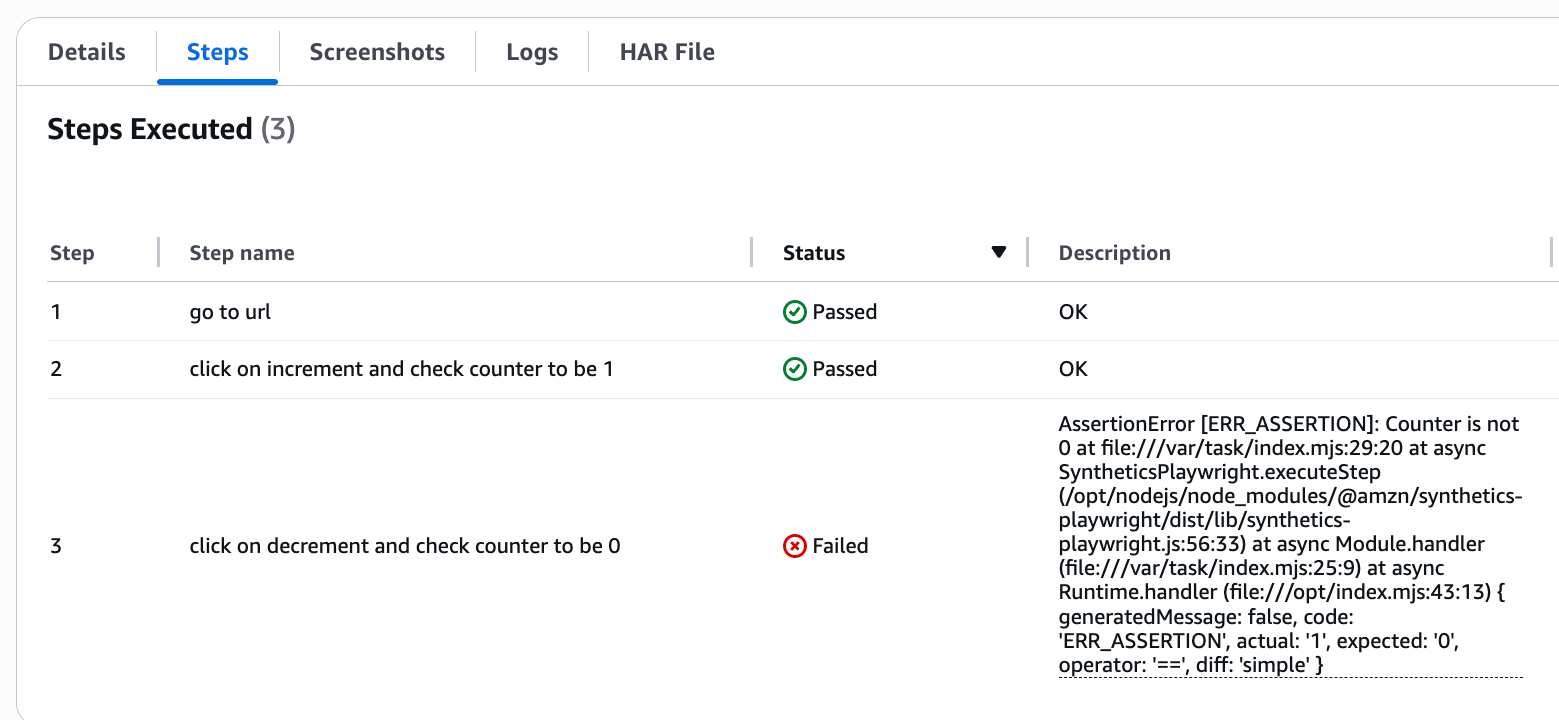
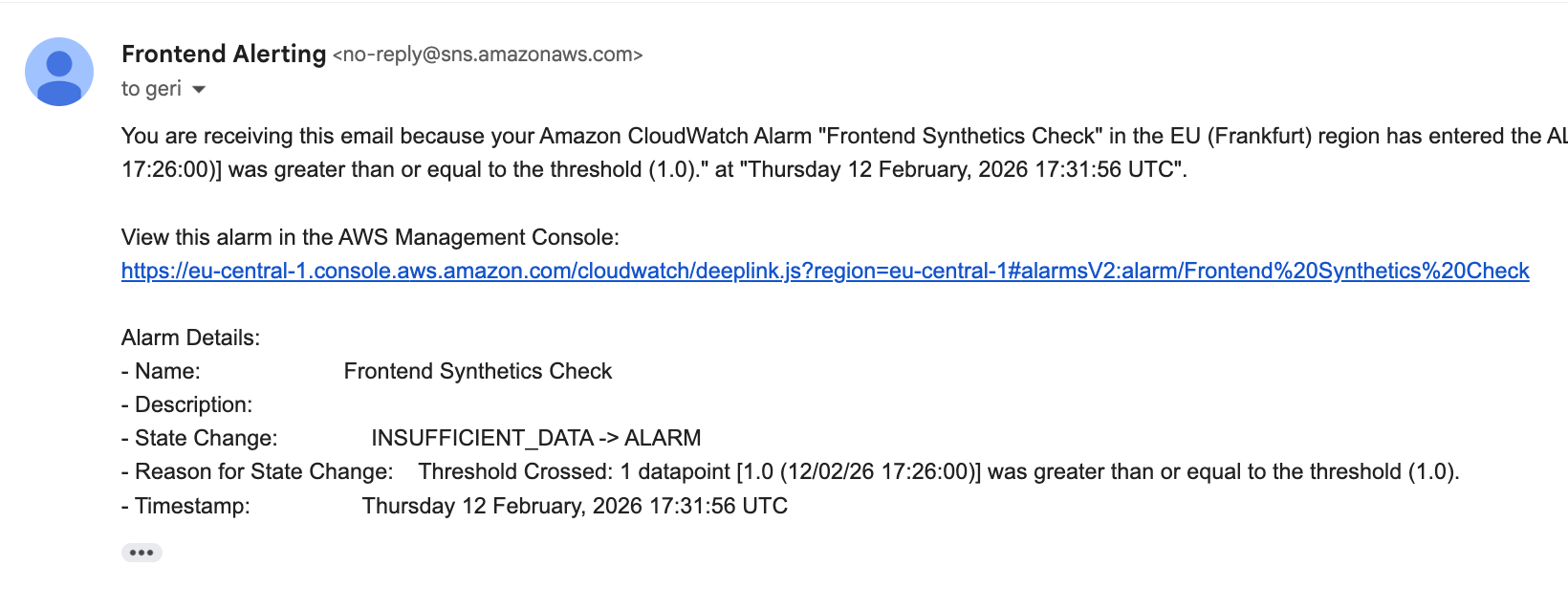
And we also should get a wonderful alarm email if we configured everything correctly!
⚠️ Important Pitfall
There’s a subtle but significant issue that cost me quite some time to figure out.
The AWS documentation shows the synthetics module being imported like this:
import { synthetics } from '@aws/synthetics-playwright';
However, this import only works with Playwright 5.1, which is not yet supported by AWS CDK at the time of writing. If you’re using CDK, you currently need to stick with Playwright 5.0.
With Playwright 5.0, the correct import is:
import { synthetics } from '@amzn/synthetics-playwright';
The confusing part: there is no actual npm package named @amzn/synthetics-playwright, since it only exists in the Lambda Layer.
To make this work properly in my IDE (including autocomplete and type support), I added an alias in package.json that maps @amzn to the official @aws package:
{
  "devDependencies": {
    "@amzn/synthetics-playwright": "npm:@aws/synthetics-playwright@^5.0.0"
  }
}
This allows the runtime to use the expected module name (@amzn/...) while still pulling the correct package from npm (@aws/...), and keeps the developer experience smooth.
Bottom Line
End-to-end tests ensure that what really matters works: the user journey.
Infrastructure can be healthy while critical flows like login or checkout are broken.
AWS Synthetics lets you continuously validate your application from the outside, just like a real user would.
That extra layer of confidence in production is invaluable.
Hope you enjoyed it! 🎉

Geri is a Senior Cloud Consultant at superluminar.
He is passionate about clean code, well architected applications and new technologies.
You can follow on Geri on LinkedIn.
Or follow his cats on Instagram.